Book your demo
ScriptRunner Connect logo consisting of a pink circle with a white letter C inside

ScriptRunner Connect: Templates library

Kickstart integrations with pre-built templates for common automation, synchronisation, and migration use cases.
A person gives a thumbs up in front of a code example

Speed up integration setup

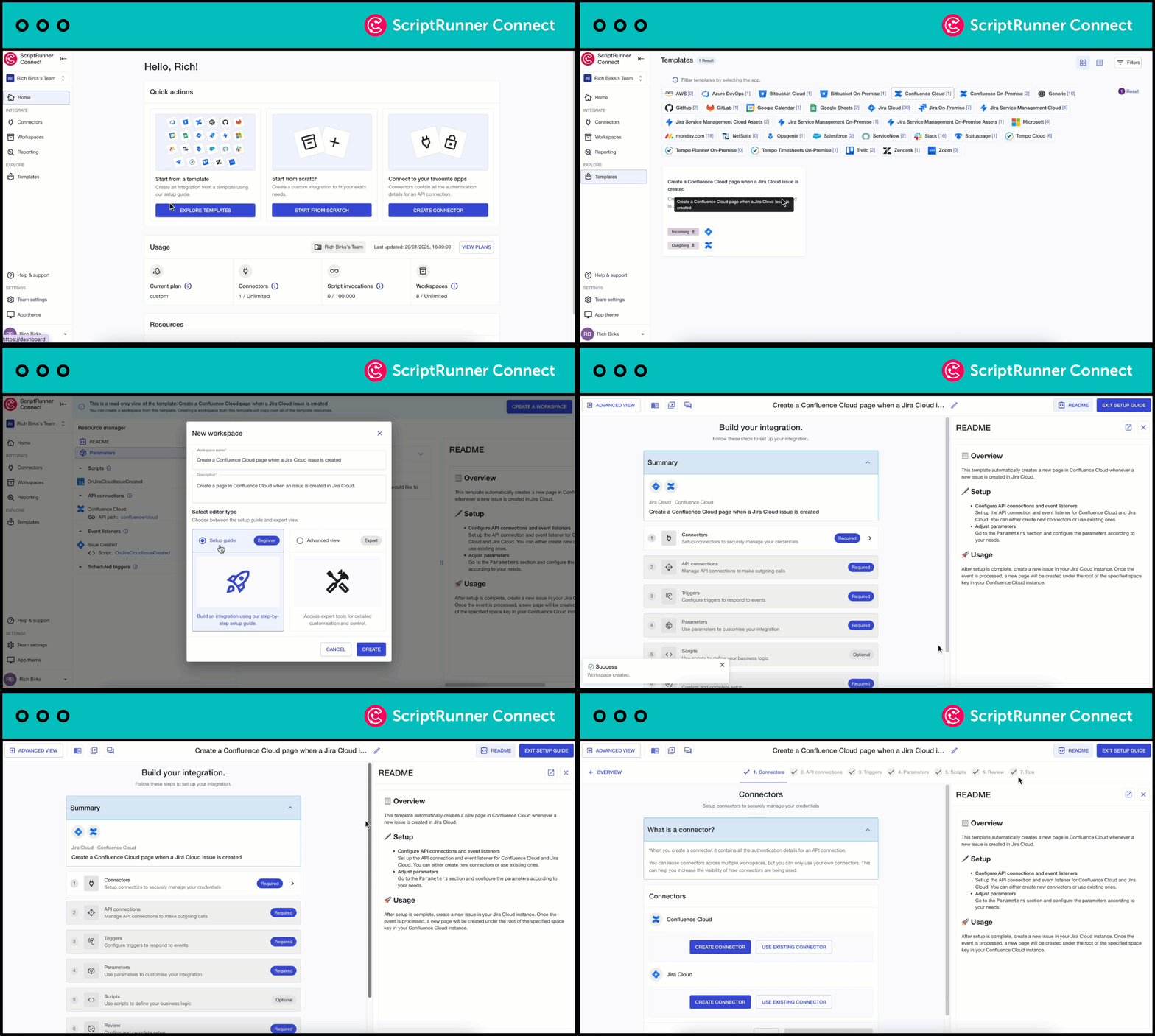
Instead of scripting from scratch, a template is a selection of specific Connections, Event Listeners, and pre-written code packaged to solve a specific use case. Select a relevant template and use the setup guide to assist you through a seven-step process that covers setting up the connectors of apps to be integrated all the way to testing and running the integration.
A view of how a user can get started with a template by accessing the setup guide in ScriptRunner Connect

Explore integration possibilities

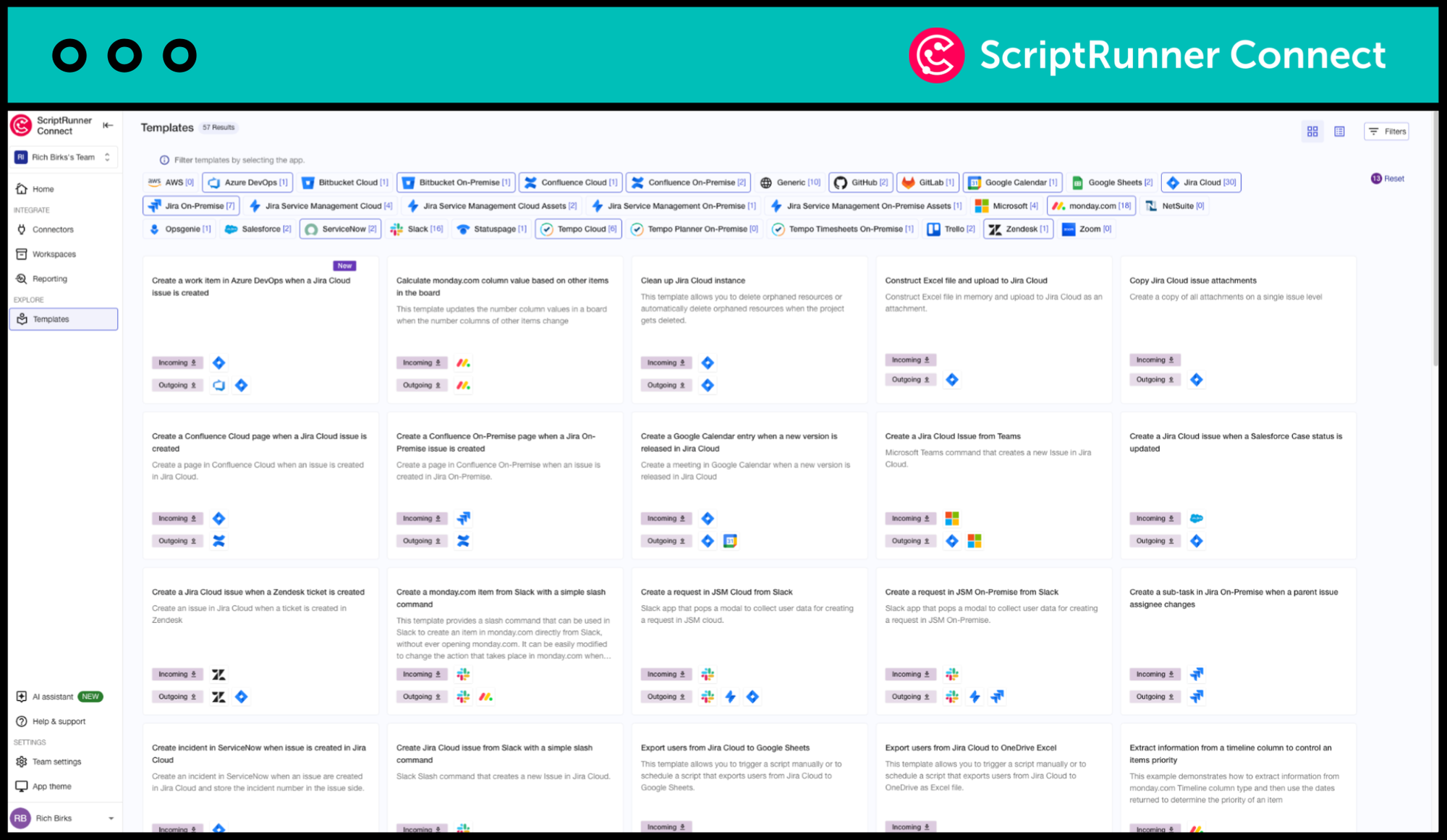
Discover what’s possible with ScriptRunner Connect by using templates. Each template showcases the capabilities of pre-built Connectors, offering you practical examples of how to solve real-business problems and accelerating your learning curve. Choose from 80+ templates and the list is always growing!
A view of all the templates available within ScriptRunner Connect

Clear guidance with every template

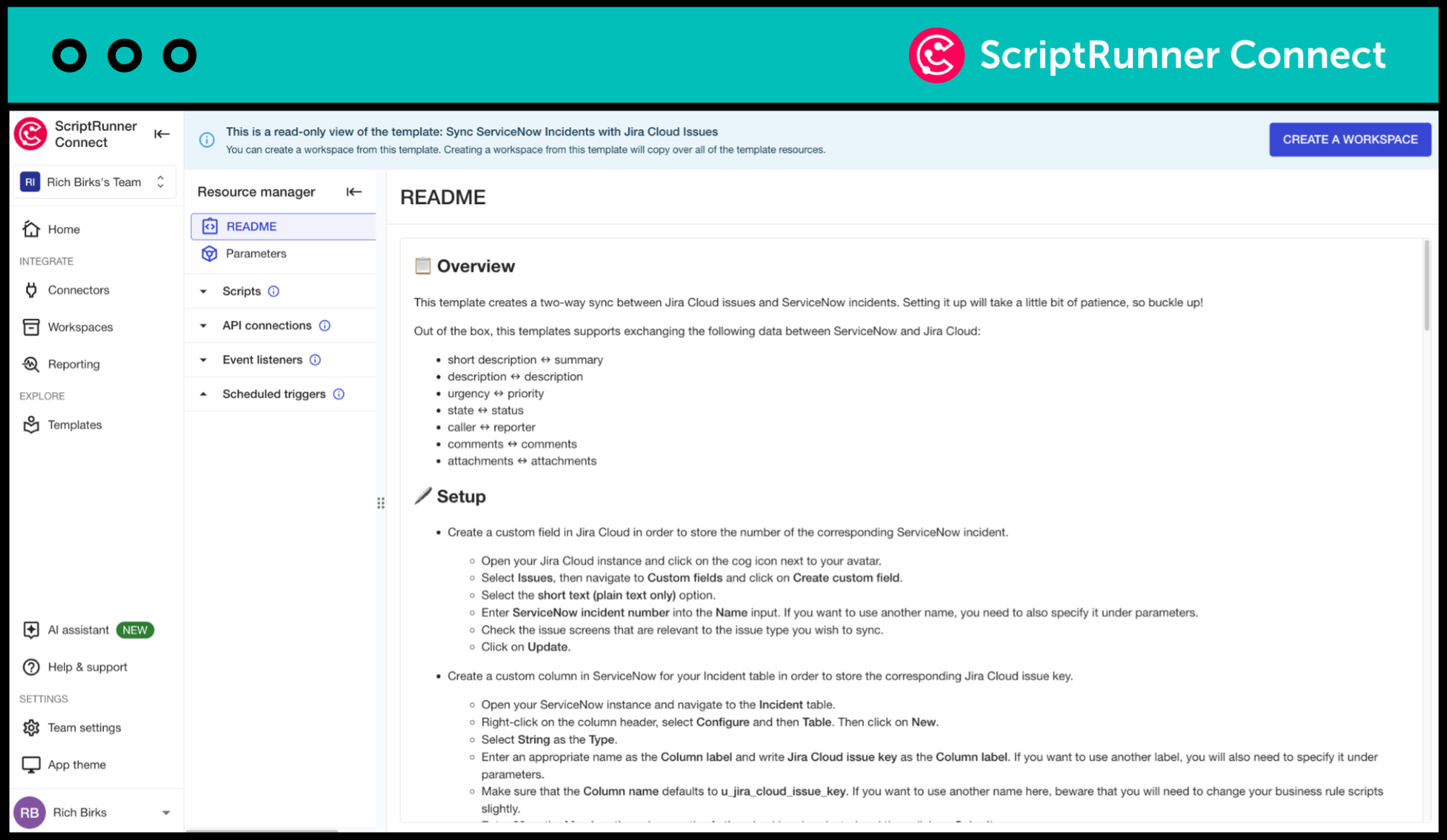
Get started with confidence using templates that come with a pre-populated “Read Me” screen. This screen provides clear explanations of the template’s purpose and components, ensuring you understand how to customise and deploy it for your specific needs.
A view of the READ ME section of a template in ScriptRunner Connect

Ready to get started?

Choose from 80+ pre-built templates that offer practical examples of how to solve real business problems.

Meet your Customer Success Team

Get a custom, private demo from one of our integration experts so you can chat freely about your specific challenges!

More where that came from

ScriptRunner Connect is filled with rich features to help teams like yours build your best-ever integrations.
A pink box with a left arrow, forward slash and right arrow inside, with grey coloured stars to the top right - to symbolise a code environment supported by AI

Remote workspace (NEW)

Build and manage integrations from your own development environment.
Learn more
A lamp in front of a computer screen to illustrate a workspace

Workspaces

Use workspaces for building, managing, and collaborating on your integrations.
Learn more
A cog in front of a cloud to illustrate a managed API

Managed API

Making coding easier for an awesome developer experience.
Learn more
Two parts of a plug about to connect in front of a cog to illustrate a connector

Connectors

Manage integrations with pre-built Connectors and a Generic Connector for secure and automated authentication.
Learn more
A clock within a calendar to illustrate a custom trigger

Custom triggers

Choose from event-based triggers, manually triggering an integration script or time-based scheduled triggers.
Learn more
A pink squiggle or lightning flash in the middle of a green circle to signify the AI Assistant

AI assistant

Generate scripts, learn the product's full capabilities and find relevant out-of-the-box use case templates.
Learn more
A group of three people

Teams

Collaborate in shared workspaces to align on integrations for a faster time-to-value.
Learn more
A teal shield icon with a cloud inside it

Private cloud hosting

Run ScriptRunner Connect in your isolated AWS environment for maximum security.
Learn more
A group of three multi-coloured stars

US data residency

AWS-powered infrastructure for enterprise-grade security, reliability and performance.
Learn more
A green shield with a red cog in the middle to illustrate security

Security

Rely on the expertise and security-first credentials of the teams behind ScriptRunner.
Learn more

Sound like what you need?